Storage
Google Drive remains a strong place to organize and collaborate on source files.
Google Drive alternative for client delivery
Keep Google Drive for storage. Add ClientProof when clients need project context, a private exact-version decision and retained operational evidence.
What changes
ClientProof keeps the public project context, private review action, and retained decision record distinct—so clients know what to read and what to do.
Google Drive remains a strong place to organize and collaborate on source files.
ClientProof presents the client-facing milestone, file and next action.
The exact stored version receives an email-verified approval or change request.
Drive workflow
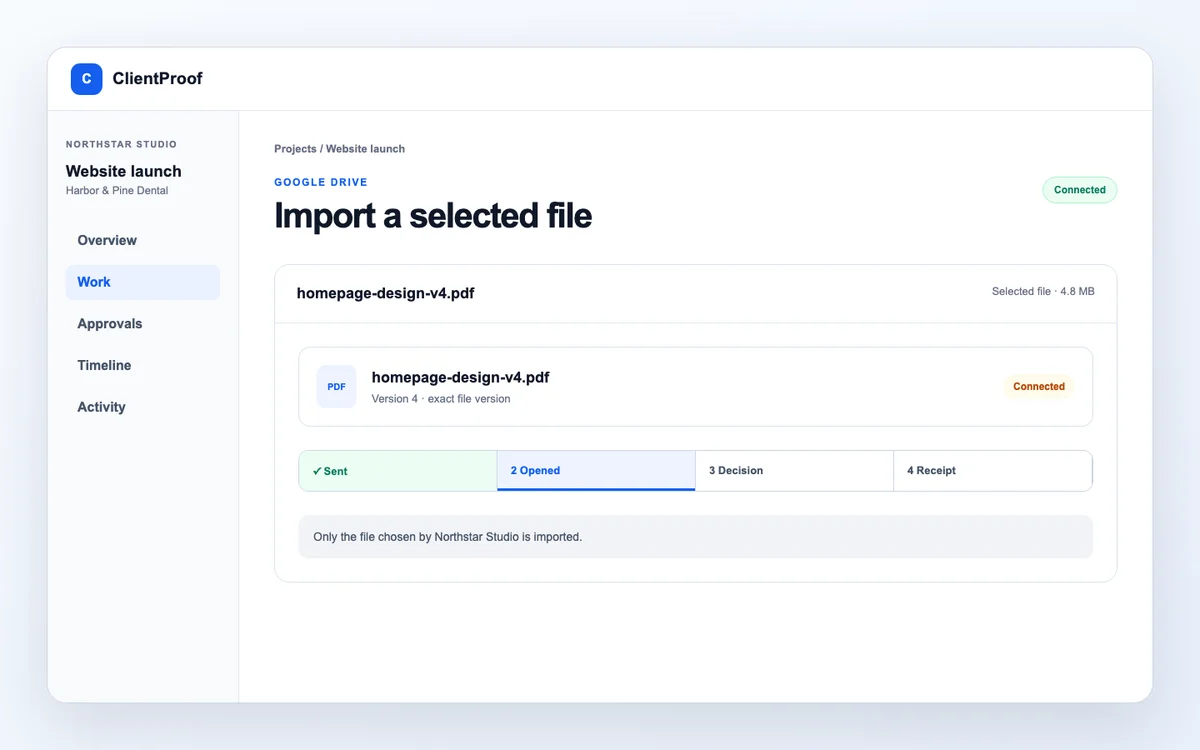
Google Drive remains the file source. ClientProof adds project context and the decision journey.
Authorize the Drive account from ClientProof settings.
Open the client project that should receive the file.
Use the Google picker to choose the intended source.
Create a frozen project copy or keep a live Drive reference.
Fair comparison
Choose Drive for broad file collaboration. Choose ClientProof when the client delivery boundary needs explicit context and decision evidence.
| Need | ClientProof | Google Drive |
|---|---|---|
| General file storage and editing | Not the primary job | Core strength |
| Client project status | Milestones and updates | Requires a manual structure |
| Exact-version approval | Private request with verification | Usually handled through comments or another tool |
| Operational receipt | Retained after decision | Not a native ClientProof-style receipt |
| Best fit | Client delivery and approval | Storage, editing and collaboration |
Choose the stack
The Google Drive integration is designed for a complementary workflow, not an all-or-nothing migration.
Use Drive alone when sharing, editing and comments are enough.
Best for: Internal collaboration and basic client file access
Upload files directly when the project does not need a connected source repository.
Best for: Focused delivery projects
Import a frozen copy for approval while keeping source work in Drive.
See the integration workflowUse ClientProof when one assigned reviewer and one exact version must be unambiguous.
See client approval softwareBuyer questions
These answers describe the product as it works today. They do not assume features that are not in the current ClientProof code.
No. The implemented workflow uses selected-file access. You choose the file and then choose whether to import a frozen copy or attach a live link.
A live link can change outside ClientProof, so it is not the same as a frozen stored version. Import a copy when exact-version approval evidence is required.
No. Clients can open the shared project page and private review links without creating a ClientProof account. A formal decision is confirmed by a code sent to the assigned reviewer email.
No. It is operational approval evidence: the exact file version, assigned reviewer, decision, timestamp, verification method and receipt reference. It is not presented as a digital signature or contract.
Start with one real project
Connect your Google account, select one real file and test the frozen-copy approval journey in a free project.